The Projectile System
Welcome back to the Ripper devlogs! Today we are diving into how the projectile system works. Fair warning: this one builds heavily on the previous devlog about the world, especially the multi-floor setup and collision layers. If you have not read that one yet, we highly recommend starting there — it will make this a lot easier to follow.
Quick Recap and What We Need
As covered in the last devlog, Ripper is a top-down, multi-floor game. All floors exist in the same physics space but are separated using collision layers — each floor gets its own dedicated layer. This setup works great for the world itself, but it introduces some interesting challenges when you start firing projectiles through it.
Here is what the projectile system needs to handle:
- Work across multiple floors using the collision layer system
- Handle a large number of projectiles at once (this is a multiplayer shooter after all)
- Synchronize efficiently without eating up all the network bandwidth
- Support modding — the community should be able to add custom projectile types
- Allow for penetration — some projectiles need to punch through walls and keep going
Let's walk through how we tackled these problems.
What Even Is a Projectile?
At its core, a projectile is just an object moving through space. Simple, right? Well, kind of. The tricky part is making it flexible enough to support all the different behaviours we want — bullets, shotgun pellets, sniper rounds, thrown grenades, whatever the modding community dreams up.
Our solution keeps projectiles abstract. Each projectile is stored as a simple piece of data:
- Position and floor — where it currently is
- Velocity vector — speed and direction combined into one value
- Penetration counter — tracks how many surfaces it has punched through (like health for the projectile; when it hits zero, the projectile is removed)
Different projectile types are handled by factories, the same system we use for world objects. Each factory defines the behaviour for its projectile type — speed, trajectory changes, hit detection, everything. This keeps the system modular and easy to extend.
One important detail: on the server, projectiles do not actually exist as physical objects in the world. They are just data. The factory uses that data to perform raycasts and calculate movement, but no physics bodies are spawned. This keeps things lightweight and prevents unnecessary physics overhead.
Managing All the Projectiles
With individual projectiles sorted, we need a way to keep track of them all. We use a simple list that holds every active projectile in the world. Each projectile gets a unique ID made up of two parts: the current game tick (a 64-bit integer) and the projectile's index within that tick (a 16-bit integer). This guarantees uniqueness without needing to track or recycle IDs manually.
Every game tick, we loop through the list and call each projectile's factory to handle movement and updates.
There is a key difference between how the server and client handle this. The client is only responsible for visualizing projectiles and updating their positions smoothly. The server, on the other hand, does not visualize anything — it just handles collision detection and physics.
The Raycast Problem
Here is where the multi-floor system starts causing headaches. The server needs to detect collisions for projectiles, which means casting a ray from the projectile's current position to where it will be next frame. In a normal single-floor game, you would just use the engine's built-in raycast. Done.
But we cannot do that. Godot's raycast uses an OR operation across collision layers — if any of the requested bits match, it registers a hit. That means if we ask for "projectile hitboxes on floor 2," it would also pick up projectile hitboxes on floors 1, 3, 4, and so on. We need an AND operation instead — the collision layer must have all the required bits (both the floor bit and the projectile bit).
We also cannot write our own raycast from scratch, because the actual physics calculations happen in Godot's C++ core and we are working in C#. So we had to get creative.
Our workaround works like this:
- Cast a ray from the projectile's current position toward its next position
- If the ray hits something, check whether the hit object's collision layer contains all the required bits (e.g., for a projectile on floor 2, we need both bit 5 for projectiles and bit 17 for floor 2)
- If it does not have all the bits, add that object to an ignore list and cast the ray again
- Repeat until we either hit something valid or reach the end position
It is not the most elegant solution — repeatedly casting rays is not cheap — but it works, and it handles the multi-floor collision logic correctly.
Keeping Clients in Sync
Multiplayer introduces another challenge: making sure projectiles on the client side match what the server is doing, without overwhelming the network.
When a new projectile is created, the server sends a message to all clients within visibility range. This message includes where the projectile spawned, what type it is, and what direction it is moving. The client receives this, looks up the appropriate factory for that projectile type, and starts simulating the movement locally.
In theory, if the server and client are running the same movement code, the projectile will stay perfectly in sync. In practice... it is pretty close. Our testing so far has shown it works well enough, though there is always going to be some minor drift.
If something significant happens — the projectile hits a target, penetrates a wall, or gets destroyed — the server sends an update or removal message using the projectile's unique ID. This keeps the important events aligned without needing to constantly broadcast position updates for every single projectile.
One other detail: we only sync projectiles to clients that are nearby. If a projectile is on the other side of the map, there is no point sending updates about it. This cuts down on bandwidth significantly in larger matches.
In the Game Right Now
Ripper currently has four different types of projectiles:
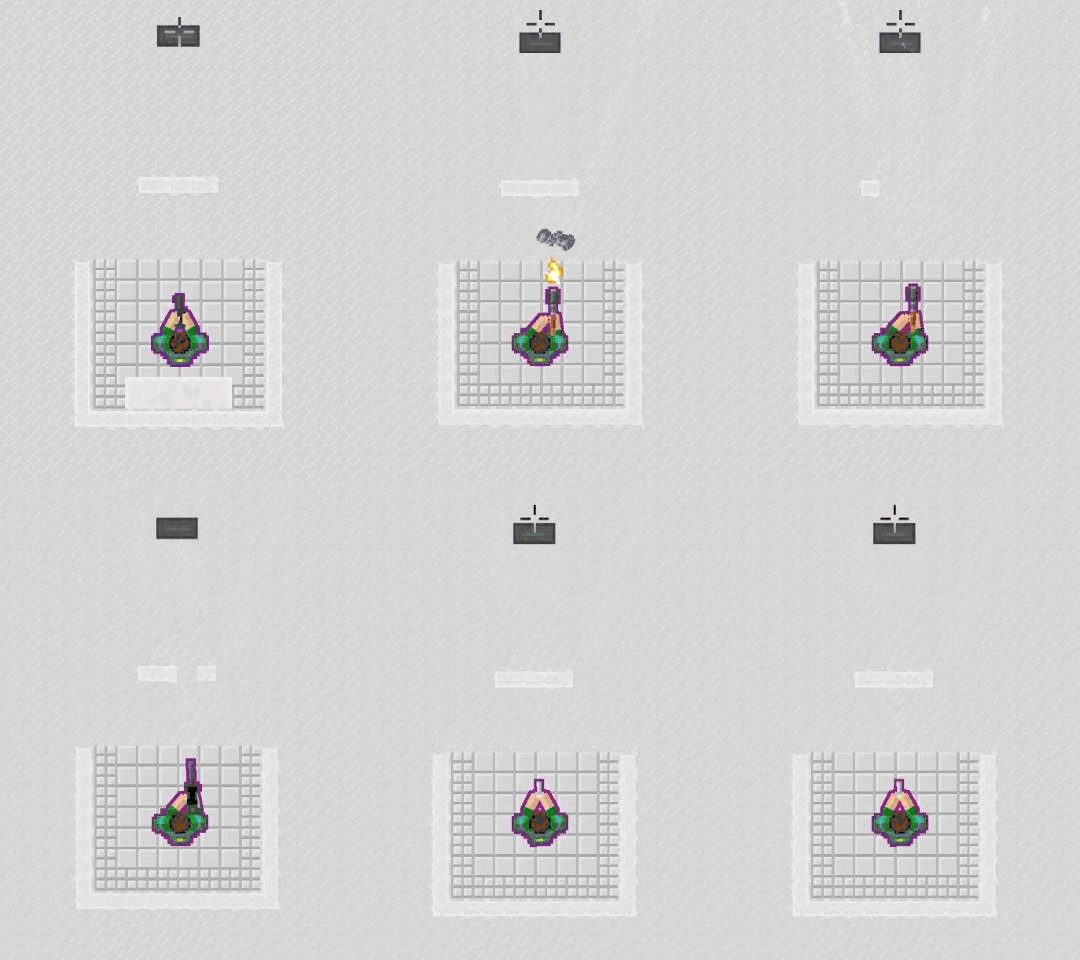
- 9mm — Standard rounds used by the pistol and Vector SMG. Balanced speed and damage.
- Gauge — Shotgun pellets. The shotgun fires up to 14 of these per shot, spread in a cone.
- Sniper — High-damage, high-penetration rounds. Punches through multiple walls and enemies.
- Thrown — Grenades and all the other throwable items.
Each of these has its own factory controlling behaviour — the sniper round penetrates more surfaces before expiring, shotgun pellets spread out, thrown items have more air drag. The system is flexible enough that adding new types (explosive rounds, ricochet bullets, whatever) is just a matter of defining a new factory.
Potential Issues
No system is perfect, and ours has a few known quirks:
- Client latency — The higher a player's ping, the less accurate projectile positions may appear on their screen. The server is always authoritative, but visual lag can still happen.
- Server-side collision — All hit detection happens on the server, so sometimes a player might see a projectile hit something on their screen while another player does not. The server's version is the truth, but perception can differ.
We are keeping an eye on these and are ready to tweak the system based on community feedback once the game is out there.
Wrapping Up
This system meets our requirements — multi-floor support, multiplayer sync, moddability, and penetration mechanics all work. Is it perfect? Not quite. We are still learning as we go, and we are committed to iterating and improving based on feedback. Transparency is important to us, so we want to be upfront about how the system works and where its rough edges are.
As always, if you have not already, please wishlist Ripper on Steam! This started as a passion project and has turned into something we are genuinely excited about. We want to keep working on it for some time.
For the next devlog, we are not committing to a specific date — time is tight at the moment — but we can tell you what is coming: the item and inventory system. See you then!
Unheard Software