The Inventory System
It has been a while since our last devlog, but we have been busy preparing for what is going to be a wild ride. More on that at the end.
Welcome back to the Ripper devlogs! Today we are talking about the inventory system, how we handle different types of items, how they are rendered, how they are stored, and how we keep everything synchronized across multiple players in a multiplayer lobby. To make things concrete, we will use a banana as our running example throughout this post.
Factories for Items
As covered in our previous devlog about the world, we use factory-based systems throughout the game. The goal is to make Ripper easy to extend and modify, both for us and for the modding community.
How do these factories work? Instead of every individual item storing its own attributes; texture, magazine size for guns, collider size for melee weapons, and so on, we create one factory per item type. The factory manages everything that is common to all instances of that item.
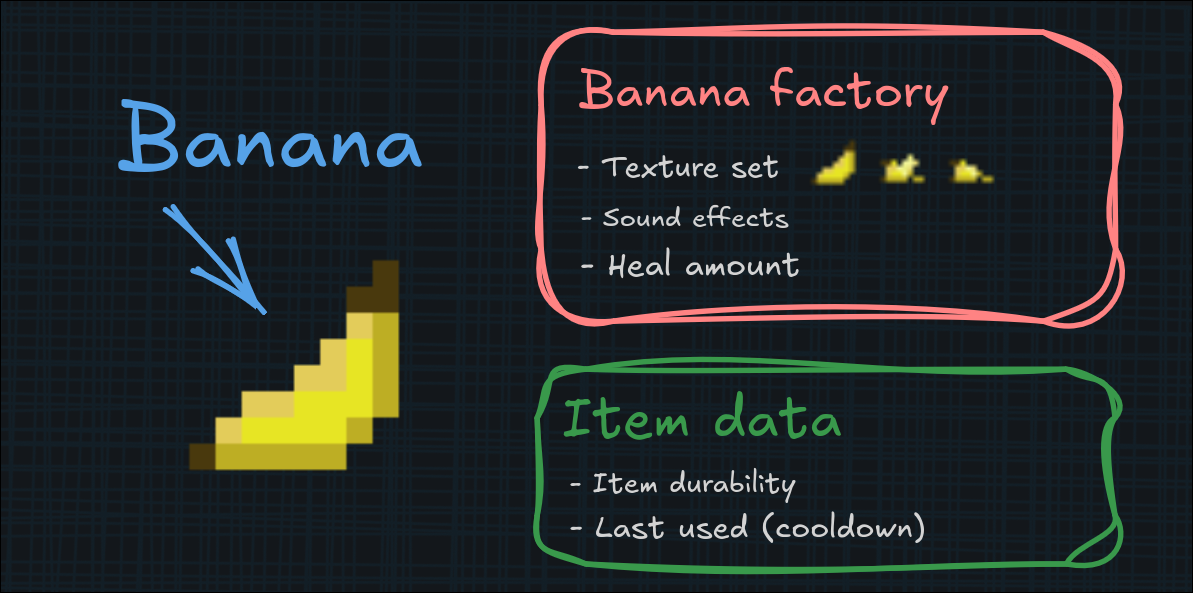
Take our banana example. All bananas share the same textures and sound effects, so those get stored in the banana factory. What does not go in the factory is instance-specific data, like how much of the banana has been eaten. That durability value lives directly in the item instance data.
The factory also defines behavior. When a player eats the banana, the factory handles healing the player and reducing the banana's durability. The heal amount goes in the factory too, since it is the same for every banana.
Storing Data on Items
Factories define the rules, but they cannot be put directly into a player's inventory. For that, we need to instantiate an item. An item instance is just two things: the item data and a reference to its factory.
One important detail: there is no physical item object on the server. Only data. The server tracks what items exist and where, but it never spawns them as actual objects in the world. Only the client displays the item in the character's hands, the server just knows the player is holding "banana, 60% durability."
How is this data stored? We use a custom container called a Bundle. It is a simple key-value system, where keys are numbered IDs (16-bit integers) and values can range from simple true/false flags to numbers to lists of other Bundles. This same system is used across the entire game, including world objects.
For the banana, we store its remaining durability in a Bundle. Based on that value, the client knows which texture from the banana texture set to display: fresh, half-eaten, almost gone, etc.
What Kinds of Items Are There?
Ripper has a wide variety of items, but most fit into one of these categories:
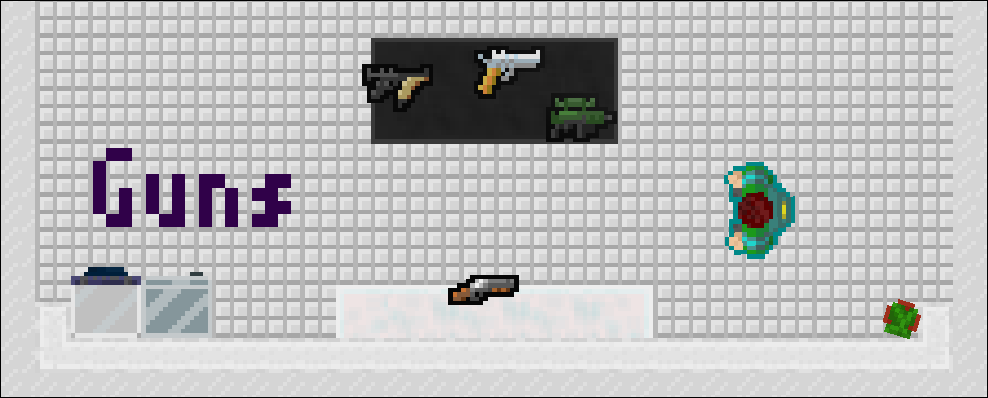
Guns All projectile-based weapons. The factory can be configured with the projectile type it fires (referencing the factories from our projectile system devlog: 9mm, gauge, sniper, etc.), how many projectiles per shot, the spread pattern, reload time, projectile speed, animations, and more.
The instance data tracks when the last shot was fired and how much ammo is currently loaded in the weapon.
Melee Weapons Anything you can use to deal blunt or slashing damage. The factory defines the collider size, damage type, time between swings, knockback force, and more.
The instance data just tracks when the item was last used (for cooldown purposes).
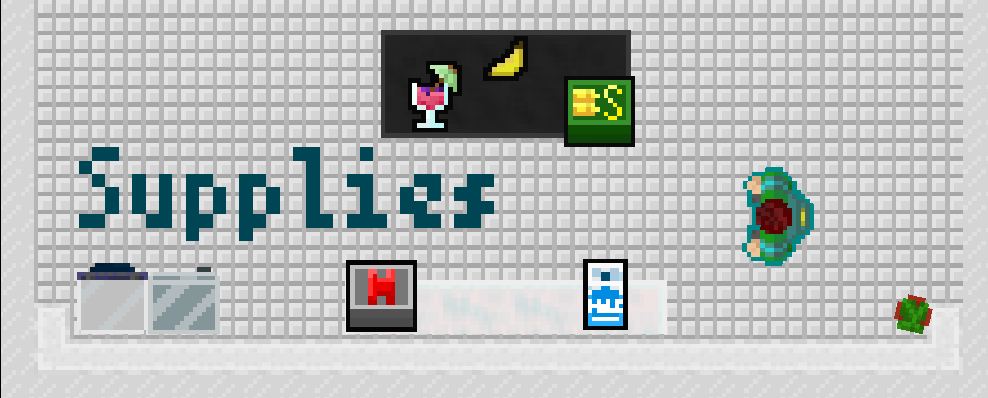
Supplies Items that restore ammo or health. Usually consumed on use. Our banana example fits here - it heals the player and gets consumed over multiple uses until the durability runs out.
Explosives Anything that explodes after being triggered. The factory controls explosion radius, fuse time, penetration value (how many walls it can blow through), and more.
The instance data tracks who last held it, whether it has been activated, and when it was fused.
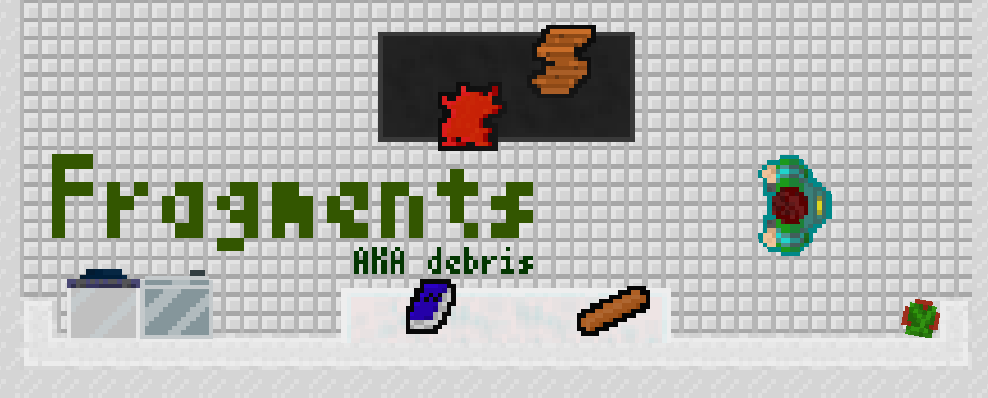
Debris Items that drop when furniture is destroyed. We might use these for a crafting system later, but for now they are mostly just world clutter. These items do not store any instance data at all.
Storing and Synchronizing Items
Now that we have item data, we need somewhere to put it. Any entity capable of carrying items; players, NPCs, whatever, has an inventory. The inventory keeps track of each item and which slot it occupies. It also handles sending events to the factories when items are used, equipped, dropped, etc.
Players currently have 3 item slots available. Ammo is stored separately in a simple container that maps projectile type to ammo count, so you do not need to dedicate an inventory slot just to carry bullets. We could technically expand the inventory in the future, but for now we want to keep it tight. We want to force players to make tough decisions about what to carry and what to leave behind.
In multiplayer, we need to sync the inventory contents across all clients. Thanks to the factory system, this is straightforward: we just send the item data Bundle and the factory reference. The client can reconstruct the entire item from that.
Items on the Ground
We do not currently have chests or storage containers in the game. If a player needs to get rid of an item, they drop it on the ground. These dropped items are called pickups.
As the name suggests, pickups can be picked back up and turned into items again. When an item becomes a pickup, it retains all its data. So if you drop a half-eaten banana, it will still be half-eaten when you pick it back up. Some items have different textures when they are pickups (guns, for example, look different lying on the ground than when held).
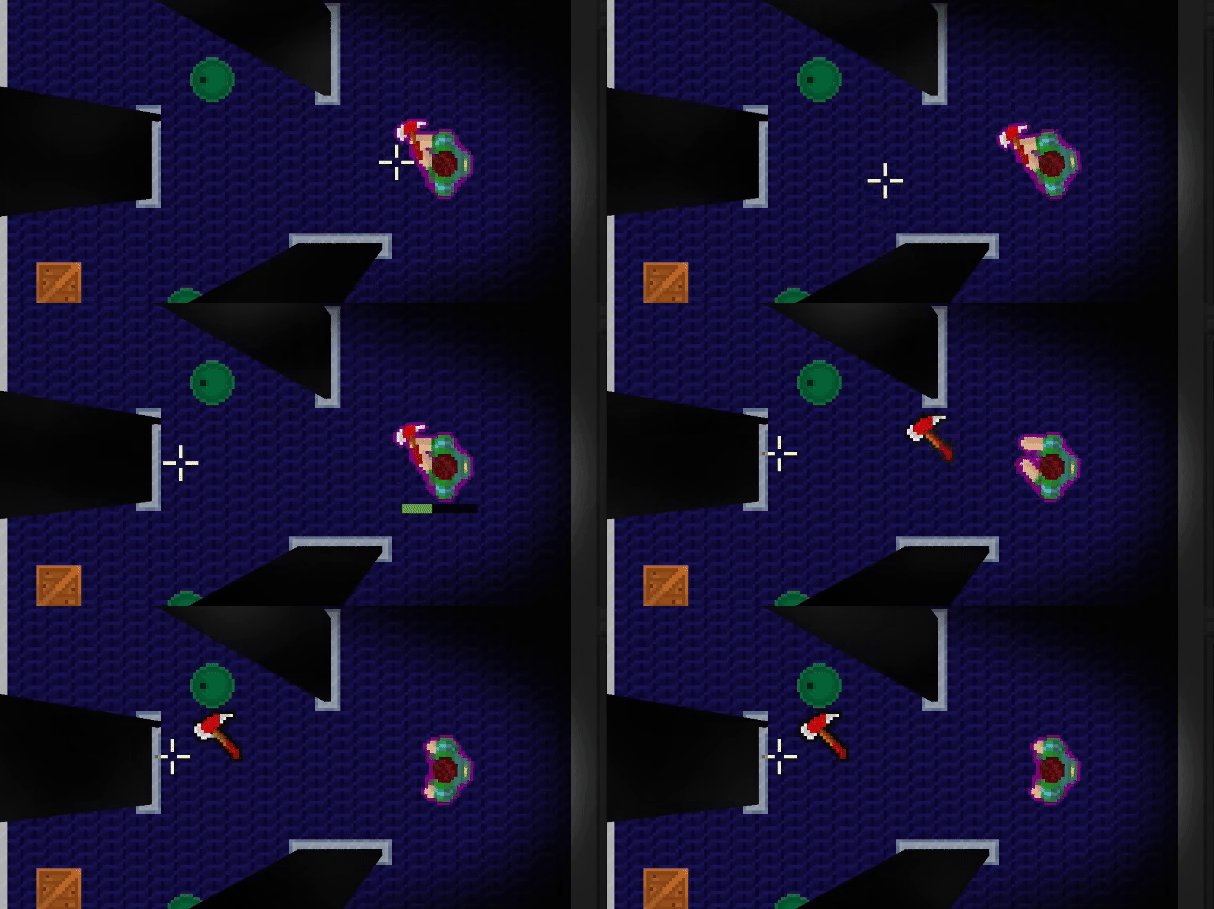
Players can also throw items. By holding the drop key, a strength bar fills up; the fuller it is, the faster and farther the item flies when released. The physics for this are handled by the projectile system (covered in our projectile devlog). We create an invisible "thrown" projectile and have the pickup object follow it visually. This might sound strange, but with our multi-floor collision layer system, reusing the projectile physics is the cleanest solution. We do not need to build a separate physics system just for flying pickups.
The Hands React to Walls
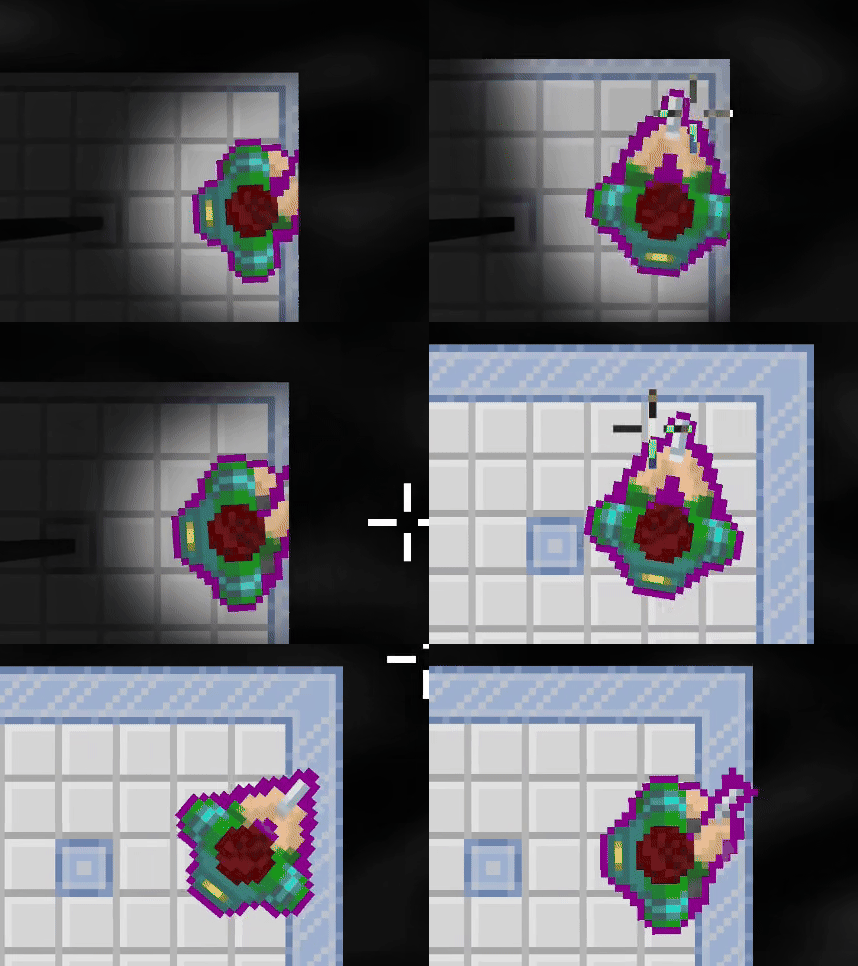
This is a smaller feature, but one we are pretty happy with. When the character gets close to a wall or obstacle, their arms rotate to the left to avoid clipping through the surface. It is a subtle touch, but it keeps things looking natural and prevents the gun barrel from sticking awkwardly through walls.
This calculation happens on both the server and the client. The server uses it to determine the actual position of the gun barrel for firing projectiles, while the client uses it purely for visual smoothness.
Wrapping Up
All of these systems come together to let us create a wide variety of items. It also allows the modding community to be able to add even more. Is it perfect? No, it's not. But for now, it gets the job done!
As always, if you have not already, please wishlist Ripper on Steam! This started as a passion project and has turned into something we are genuinely excited about. We want to keep working on it for a long time.
It has been a while since our last devlog, and there are several announcements we want to share. We will talk about them in their own individual blog posts later. But for now, mark your calendars: June 17th for Steam Next Fest. We are currently pushing hard to get the game into a playable state for the event. Because of this, we cannot promise when the next devlog will come or what it will cover. Either way, we hope to see you at Next Fest!
Unheard Software